Windows
Create encrypted vaults, add firearms and accessories, manage storage labels, attach paperwork, import Excel files, and export reports.
Open Windows guideHow-to documentation
Start with the current Windows and macOS desktop guides. These pages describe the active pre-release builds for the current validation cycle.
Digital Gun Vault documentation covers recordkeeping workflows only. It is not legal advice, not transfer authorization, and not an ATF filing system.
Create encrypted vaults, add firearms and accessories, manage storage labels, attach paperwork, import Excel files, and export reports.
Open Windows guideOpen encrypted vaults, organize firearms by storage label, attach photos and paperwork, use Touch ID convenience unlock, and export reports.
Open macOS guideDesktop preview
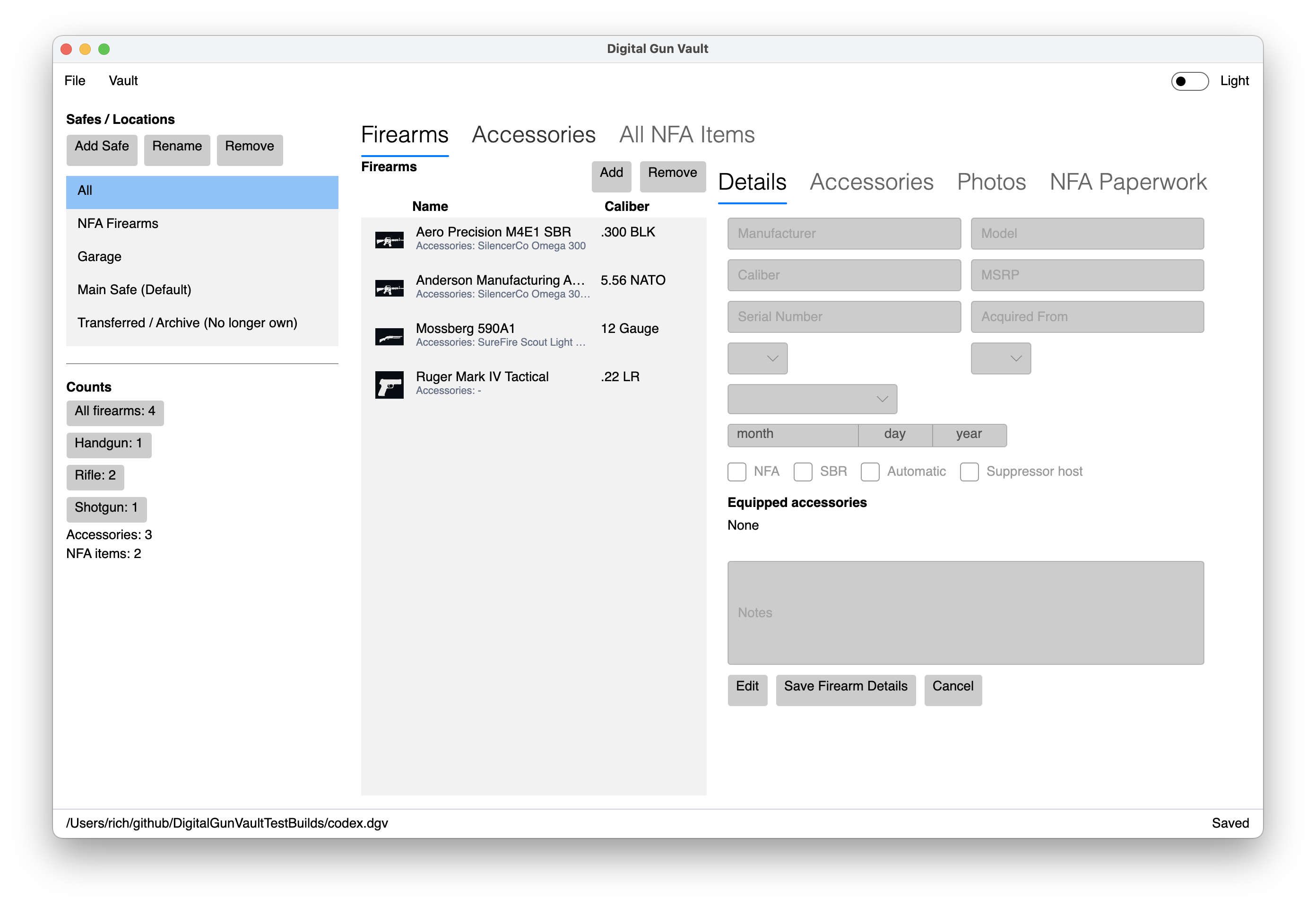
The desktop guides now include visual previews of the inventory, accessory, photo, and paperwork workflows using sample vault data.
Security reference
Learn how Digital Gun Vault protects `.dgv` files with authenticated encryption, password hardening, and explicit warnings around plaintext exports.
Security workflow PDF
A printable guide for users and testers covering vault unlocks, recovery, attachments, exports, update prompts, and release channels.
Release operations
The project uses guarded promotion workflows to move commits from main to nightly validation, then beta testing, then release-candidate validation. Each promotion starts the matching platform build, publishes Azure update fragments when enabled, and keeps public preview pages aligned with the shared release metadata record. Beta handoffs record exact commit and build numbers in Linear before tester distribution.
Technical documents
These project documents are maintained in the shared repository and describe the compatibility, security, and release rules used by the Windows and macOS apps.